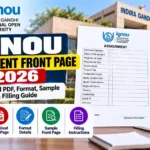
IGNOU Assignment Front Page 2026: Students of Indira Gandhi National Open University (IGNOU) must prepare their assignments carefully before submitting them to their respective study centres or through an approved online submission process. One important part of assignment preparation is the front page, also known as the assignment cover page. It contains essential details about the student, programme, course and assignment, helping the concerned evaluator identify the submitted work.
If you are looking for the IGNOU assignment front page 2026 PDF download, you can use the download link provided below. This article explains the front page format, the information you need to fill in, how to attach it to your assignment, common mistakes to avoid and other important guidelines.
IGNOU Assignment Front Page 2026 Download Link
Students can use the following link to access the IGNOU assignment front page template.
Download IGNOU Assignment Front Page: Click Here to Download the Front Page
Before printing or filling out the template, check the instructions issued by your Regional Centre, Learner Support Centre or programme coordinator. Different programmes may prescribe slightly different formats, so you should follow the instructions applicable to your course.
IGNOU Assignment Front Page: Overview
| Particulars | Details |
|---|---|
| University | Indira Gandhi National Open University |
| Popular search term | IGNOU Assignment Front Page 2026 |
| Document type | Assignment cover page or front sheet |
| Main purpose | Identifying the student and the submitted assignment |
| Student details | Name, enrolment number and contact information |
| Programme details | Programme code and programme title |
| Course details | Course code, course title and assignment code or number |
| Study centre details | Study Centre code and name, where required |
| Submission details | Session, date and student signature, as applicable |
| Download link | https://www.ignoubank.com/ignou-assignment-front-page/ |
| Official assignment portal | https://webservices.ignou.ac.in/assignments/ |
| Important precaution | Follow the latest instructions for your programme and study centre |
What Is the IGNOU Assignment Front Page?
The IGNOU assignment front page is the first sheet placed before the answers in an assignment submission. It works as an identification page and provides information that helps the evaluator or administrative staff connect the answer sheets with the correct student and course.
IGNOU offers a wide range of undergraduate, postgraduate, diploma and certificate programmes. As a result, students may have different course codes, assignment codes and submission requirements. A properly completed cover page helps keep each assignment organised and reduces the possibility of confusion during processing.
The front page is not a replacement for the assignment question paper or the answers. It is an additional sheet that introduces the assignment and identifies the student who prepared it.
Students should also remember that the exact format may vary by programme or study centre. The instructions published for a particular course take priority over a general template.
Why Is the IGNOU Assignment Front Page Important?
A properly completed cover page can make the assignment submission process more organised. Its importance includes the following points.
1. Identifies the Student
The enrolment number and student name help identify whose assignment is being submitted. Entering these details accurately is particularly important when assignments are processed in large numbers.
2. Identifies the Programme and Course
IGNOU students may be enrolled in programmes containing several courses. The programme code, course code and course title help distinguish one assignment from another.
3. Helps Organise Assignment Records
Study Centre and Regional Centre details, when required, help identify the student’s assigned centre and provide useful administrative information.
4. Records Submission Information
A submission date and student signature may be required by the applicable format. These details can help maintain a record of the submitted work.
5. Supports Proper Evaluation
A clear cover page makes it easier to identify the assignment before evaluation. However, using a front page alone does not guarantee acceptance or good marks. Students must also follow the prescribed assignment questions, academic instructions and submission deadline.
Details Required on the IGNOU Assignment Front Page
Before downloading or filling out the template, understand the purpose of each field.
| Field | What You Should Enter |
|---|---|
| Student Name | Your full name as recorded in IGNOU’s student records |
| Enrolment Number | Your correct IGNOU enrolment number |
| Programme Code | The code of your enrolled programme |
| Programme Title | The full name of your programme |
| Course Code | The code printed on the applicable assignment question paper |
| Course Title | The name of the course for which you are submitting answers |
| Assignment Code or Number | The applicable assignment identification code or number |
| Study Centre Code | Your assigned Study Centre code, if required |
| Study Centre Name | The name of your assigned Study Centre, if required |
| Regional Centre | Your relevant Regional Centre, where requested |
| Academic Session | The applicable January or July admission session, as instructed |
| Mobile Number | Your current contact number, if required |
| Email ID | Your active email address, if required |
| Postal Address | Your complete address, if the format requests it |
| Date of Submission | The actual submission date, where applicable |
| Signature | Your signature, if required by the prescribed format |
Not every template contains all these fields. Use the form provided for your programme and avoid adding unnecessary information that conflicts with its instructions.
How to Download the IGNOU Assignment Front Page PDF?
Follow these steps to access the front page template.
Step 1: Open the download page.
Visit the following link: https://www.ignoubank.com/ignou-assignment-front-page/
Step 2: Locate the front page template.
Read the information on the page and look for the available download option. The precise file format and download method depend on what is currently offered on the page.
Step 3: Open or download the file.
If a PDF file is provided, open it using a PDF reader. If an editable document is available, you may use a compatible word-processing application to complete the fields.
Step 4: Check the format.
Before printing, make sure the document includes the fields required by your programme or study centre. Check whether the applicable instructions specify A4 paper or another format.
Step 5: Print the front page.
Print the document clearly, if a printed cover page is required. Avoid faded printing, cut-off text and damaged paper.
Step 6: Fill in the details.
Enter your personal, programme and course information accurately. Review every field before attaching the page to your assignment.
If the download page changes or a file is unavailable, check the official IGNOU website and the instructions from your Regional Centre for the applicable format.
How to Fill Out the IGNOU Assignment Front Page Correctly?
Completing the front page carefully is just as important as downloading the correct template. Use the following instructions as a practical checklist.
Enter Your Name Correctly
Write your name as it appears in your IGNOU student records. Avoid unnecessary abbreviations or spelling differences that could make identification difficult.
Verify Your Enrolment Number
Your enrolment number is one of the most important identification details. Check it against your student ID or official admission records before submitting the assignment.
Write the Correct Programme Code
Enter the programme code for the programme in which you are enrolled. Do not copy the code from a friend’s assignment or use a code belonging to a different course.
Check the Course Code and Course Title
Each course can have its own assignment. Verify the course code and title against the relevant assignment question paper. Even students enrolled in the same programme may submit different course assignments.
Enter the Assignment Code or Number
Some assignments specify an assignment code, while others use an assignment number or another identifier. Copy the appropriate information from the current assignment question paper.
Add Study Centre Details
If the front page asks for your Study Centre code and name, enter the details of your assigned centre. If you are unsure, check your admission documents or contact the relevant centre.
Mention the Correct Session
Use the academic session requested in the template or submission instructions. Do not assume that the assignment session is always identical to the date on which you complete your answers.
Check Contact Information
Where contact details are requested, provide an accurate mobile number, email address and postal address. Avoid sharing unnecessary sensitive personal information outside the official submission process.
Add the Date and Signature
Enter the actual submission date when requested and sign the document if the format requires your signature. Do not sign on behalf of another student.
How to Arrange Your IGNOU Assignment After Completing the Front Page?
After filling out the cover page, organise the assignment according to the current instructions for your programme.
- Place the completed front page at the beginning of the assignment, unless your programme specifies a different sequence.
- Include the required identification documents or assignment question paper if the applicable instructions ask for them.
- Arrange the answers in the required order.
- Write the correct question number before each answer.
- Number the pages if required.
- Keep the answer sheets securely arranged using the method permitted by your study centre.
- Confirm that all required questions have been answered.
- Keep a photocopy or digital copy of your completed assignment for your records.
- Submit the assignment through the approved method and within the applicable deadline.
- Keep the submission acknowledgement or receipt, where provided.
IGNOU’s programme-specific instructions may require additional documents or a particular sequence. Always check those requirements rather than relying solely on a general checklist.
Important Guidelines for Writing IGNOU Assignments
A correct front page is only one part of preparing a complete assignment. Students should also pay attention to the quality and presentation of their answers.
Use the Prescribed Assignment Questions
Download the latest applicable assignment question paper from the official IGNOU assignment portal:
https://webservices.ignou.ac.in/assignments
Check the programme, course code, assignment session and any instructions included in the document.
Write Answers in Your Own Words
Prepare your answers using the prescribed study material and your understanding of the topic. Avoid copying another student’s work or reproducing material without proper understanding.
Follow the Required Answer Format
Read the assignment carefully and follow any specified word limits, question choices, submission requirements and formatting instructions.
Maintain Clear Presentation
If handwritten answers are required, write legibly and keep the pages clean. Follow the paper size and margin requirements stated in your programme guide or assignment instructions.
Submit Through the Correct Channel
Do not assume that all IGNOU assignments must be submitted through the same method. Some programmes or study centres may provide specific online submission instructions, while others may require submission through the assigned centre.
Use only the submission method approved for your course.
Keep Proof of Submission
Retain your submission receipt, acknowledgement email or other available proof. This can be useful if you later need to ask about the status of your assignment.
Important Links and Information for IGNOU Students
The following table brings together useful resources for downloading the assignment front page, checking assignment questions and finding official university information.
| Purpose | Link |
|---|---|
| Download IGNOU Assignment Front Page | Open Front Page Download Page |
| Official IGNOU Website | Visit IGNOU |
| Official IGNOU Assignment Portal | Download Assignment Question Papers |
| IGNOU Assignment Information | Read Official Assignment Information |
| IGNOU Study Material | Visit eGyanKosh |
| IGNOU Student Services | Open Student Services |
| IGNOU Online Services | Visit Online Services |
The front page download link above is the resource requested for this article. The remaining links provide official university information or study resources. Always confirm deadlines, submission methods and programme-specific instructions through the relevant official channel.
Common Mistakes to Avoid on the IGNOU Assignment Front Page
Students can avoid many preventable problems by checking the cover page before submission.
Incorrect enrolment number: A wrong digit can make it difficult to identify the assignment correctly.
Wrong course code: Each assignment must be associated with the correct course. Check the question paper before filling in the details.
Missing assignment code: If the template requests an assignment code or number, do not leave it blank without confirming whether it applies.
Incorrect Study Centre details: Enter the details of your assigned centre rather than copying them from another student’s document.
Wrong academic session: Verify the applicable session and assignment validity period.
Illegible handwriting: When completing the form by hand, write clearly and avoid overwriting important information.
Using an outdated template: A format used for a previous session may not contain all the fields currently required by your programme.
Submitting one cover page for multiple assignments: Unless your programme specifically instructs otherwise, prepare a separate, correctly identified assignment for each course.
Ignoring submission instructions: A properly completed front page cannot compensate for missing answers, an incorrect submission channel or a missed deadline.
Failing to retain proof: Keep a copy of the completed assignment and any submission acknowledgement available for future reference.
How to Check IGNOU Assignment Submission Requirements?
If you are uncertain about the cover page or assignment submission process, use the following approach.
First, locate your latest assignment question paper on the official assignment portal. Read the instructions included with that paper.
Second, review your programme guide, particularly the section dealing with assignments. It may specify the paper size, writing format, cover page fields, submission location and other requirements.
Third, check your assigned Regional Centre or Learner Support Centre for current instructions. This is especially important when submission procedures differ between programmes.
Finally, if the instructions remain unclear, contact the relevant centre before submitting your assignment. Ask whether a particular cover page is required, whether printed or handwritten responses are accepted, and which submission method applies to your course.
Do not assume that a template described as a general IGNOU front page is a university-wide mandatory form for every programme.
FAQ about IGNOU Assignment Front Page 2026
Is the IGNOU assignment front page compulsory?
Students should follow the cover page and assignment formatting instructions provided for their programme. Many IGNOU programme guides and study centres prescribe identification details on the first page. Confirm the exact requirements applicable to your course.
What details should I write on the IGNOU assignment front page?
Common fields include your name, enrolment number, programme code, programme title, course code, course title, assignment code, Study Centre details, academic session, date and signature. Some formats also request contact details and the Regional Centre.
Can I use the same front page for every subject?
You may reuse the same blank template if it meets the applicable requirements, but you should fill it out separately for each course assignment. Ensure that the course code, course title and assignment details match the answers attached to that page.
Can I create my own IGNOU assignment front page?
A simple layout may contain the required identification information, but it is safer to use the format specified by your programme or study centre. If a prescribed template is provided, follow it instead of designing an alternative.
Should the IGNOU assignment front page be handwritten or printed?
This depends on the applicable instructions. You may be able to print a blank cover page and fill it in by hand, or use an editable template if permitted. Check whether your programme specifies a particular format.
Which paper size should I use?
A4 paper is commonly specified in IGNOU assignment instructions, but students should verify the requirements for their particular programme. Follow the paper size and margin instructions provided in the relevant programme guide.
Do I need a separate front page for each course?
In general, a separate cover page for each course assignment is a practical way to keep submissions organised. Follow any programme-specific instructions about how assignments should be grouped or submitted.
Can I submit my IGNOU assignment online?
Online submission is available for some programmes or through specific arrangements, but the method is not necessarily the same for every course. Follow the latest instructions from your programme, Regional Centre or Study Centre.
What should I do if I enter incorrect information on the front page?
Correct the information before submission. If you have already submitted the assignment, contact the relevant Study Centre or programme authority and explain the mistake. Keep your enrolment details and submission proof available.
Is the IGNOU assignment front page enough to complete my submission?
No. The front page is only one component of the assignment. You must also prepare the answers, follow the prescribed format, include any additional documents required by your programme and submit the completed work through the correct channel.
Can I use an old assignment front page format in 2026?
You should use an older format only if it still matches the current instructions for your programme. Check the latest assignment question paper, programme guide and Study Centre notices before submitting.
Should I keep a copy of my IGNOU assignment?
Yes. Keeping a photocopy or digital copy of the completed assignment, along with the submission acknowledgement, is a useful precaution. It can help you refer to your submitted work if questions arise later.
Conclusion
The IGNOU assignment front page is an important part of organising and identifying your assignment submission. It helps connect your answers with your student details, programme and course, while supporting a clear and consistent submission process.
If you need a template, visit the following link: Download IGNOU Assignment Front Page 2026
Before completing the form, verify your enrolment number, programme code, course code, assignment details and other required information. Use the latest assignment question paper, follow the instructions issued for your programme, submit through the approved channel and retain proof of submission.
Taking a few minutes to check the front page and the complete assignment can help you avoid common administrative mistakes and make your IGNOU assignment submission more organised.